
Cards and Card Grids
Create visual groups of links with cards and card grids.
Cards are useful when you want to guide readers toward a few related pages or choices.
A card is a small content block. A card grid arranges multiple cards together.
Use cards when a reader needs to choose where to go next. For example, a homepage might link to the most important sections of a site.
Add a card grid
Start with a cardGrid:
{% cardGrid cols="3" %}
{% /cardGrid %}
The cols value controls how many columns the grid tries to show on wide screens. Common values are 2 and 3. Mordoc will still adapt the layout on smaller screens.
Card grid attributes
| Attribute | Description | Values | Required |
|---|---|---|---|
cols | Preferred number of columns on wide screens | 1-4 (default 3) | Optional |
Add cards inside the grid
Each card needs a title:
{% cardGrid cols="2" %}
{% card title="Install" path="/guides/install" %}
Install the product and check that it runs.
{% /card %}
{% card title="Configure" path="/guides/configure" %}
Adjust settings for your project.
{% /card %}
{% /cardGrid %}
The title field is required. Use path when the card should link somewhere. The other card fields are optional.
Choose a card style
Mordoc supports a few card styles:
- A plain card, with just a title, a path, and body text
- A card with a
tag, for a short badge likeNeworStart here - A card with an
icon, for a small icon next to the title - A card with an
image, for a larger image above the title
Simple cards
Use a plain card when the title and a short sentence are enough to help the reader decide.
{% cardGrid cols="2" %}
{% card title="Build and Deploy" path="/publishing/build-your-site" %}
Generate a static site and deploy it to any hosting platform in minutes.
{% /card %}
{% card title="Preview Before Publishing" path="/publishing/preview-before-publishing" %}
See exactly how your site looks before it goes live — no surprises.
{% /card %}
{% /cardGrid %}
How it renders
Generate a static site and deploy it to any hosting platform in minutes.
See exactly how your site looks before it goes live — no surprises.
Simple cards with badge
Use tag for short labels like New, Start here, or Recommended. Use tags sparingly. If every card has a tag, the tags stop feeling helpful.
{% cardGrid cols="2" %}
{% card title="Quickstart" path="/getting-started/create-project" tag="Start here" %}
Begin with the fastest path through the docs.
{% /card %}
{% card title="Callouts" path="/writing-content/callouts" tag="New" %}
Highlight notes, tips, warnings, and important messages in Mordoc pages.
{% /card %}
{% /cardGrid %}
How it renders
Begin with the fastest path through the docs.
Highlight notes, tips, warnings, and important messages in Mordoc pages.
Cards with icon
Add icon to show a small icon next to the title. icon renders in a small square box without cropping, so a square icon, ideally an SVG, fits best.
{% cardGrid cols="3" %}
{% card title="Getting Started" path="/getting-started/create-project" icon="/icons/card-icons/getting-started.svg" %}
Create your first project, run it locally, and learn how Mordoc works from the ground up.
{% /card %}
{% card title="Writing Content" path="/writing-content/markdown-basics" icon="/icons/card-icons/writing.svg" %}
Markdown basics, callouts, tables, cards, landing pages, and everything in between.
{% /card %}
{% card title="Configuration" path="/configuration/site-configuration" icon="/icons/card-icons/configuration.svg" %}
Tailor your site with navigation, branding, themes, variables, and multi-language support.
{% /card %}
{% /cardGrid %}
How it renders

Create your first project, run it locally, and learn how Mordoc works from the ground up.

Markdown basics, callouts, tables, cards, landing pages, and everything in between.

Tailor your site with navigation, branding, themes, variables, and multi-language support.
Cards with image
Add image to show a larger image above the title.
{% cardGrid cols="3" %}
{% card title="Český Krumlov" image="/images/content-images/cesky-krumlov.jpg" %}
A fairy-tale town in South Bohemia, wrapped by a bend in the Vltava.
{% /card %}
{% card title="Iceland" image="/images/content-images/iceland.jpg" %}
Waterfalls, glaciers, and black sand beaches around every bend.
{% /card %}
{% card title="Reine" image="/images/content-images/reine.jpg" %}
A fishing village tucked beneath the peaks of the Lofoten Islands.
{% /card %}
{% /cardGrid %}
How it renders
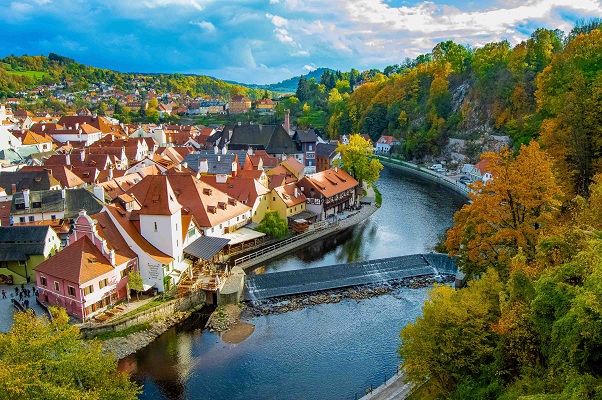
A fairy-tale town in South Bohemia, wrapped by a bend in the Vltava.
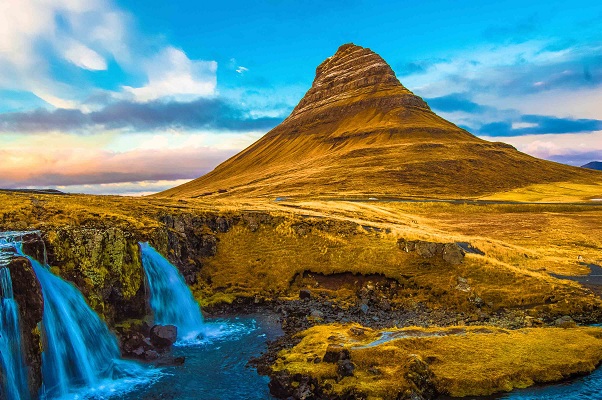
Waterfalls, glaciers, and black sand beaches around every bend.
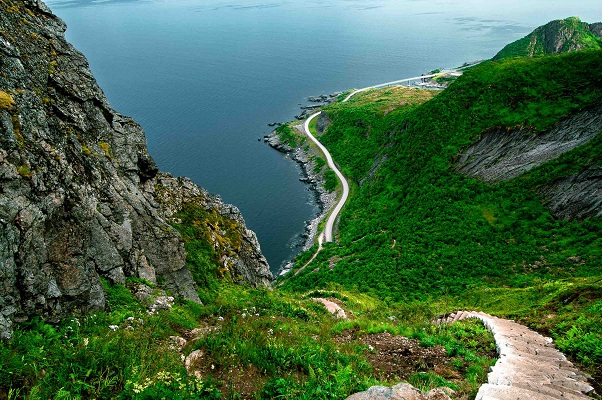
A fishing village tucked beneath the peaks of the Lofoten Islands.
image renders in a fixed 16:9 box and is cropped to fill it, so a 16:9 source image (for example 800x450 or 1200x675) avoids losing its edges.
Keep card text short
Card text should help readers choose. One short sentence is usually enough.
Card attributes
| Attribute | Description | Values | Required |
|---|---|---|---|
title | The card heading | Any text | Required |
path | The page or URL the whole card links to | A path or URL | Optional |
icon | A small icon shown next to the title. Ignored if image is set | Icon path | Optional |
image | A larger image shown above the title | Image path | Optional |
tag | A short badge shown above the title, such as New or Start here | Any text | Optional |